
Dal team dei servizi tecnici di NEWBASE | Pubblicato il 30 aprile 2026 | 9 min read
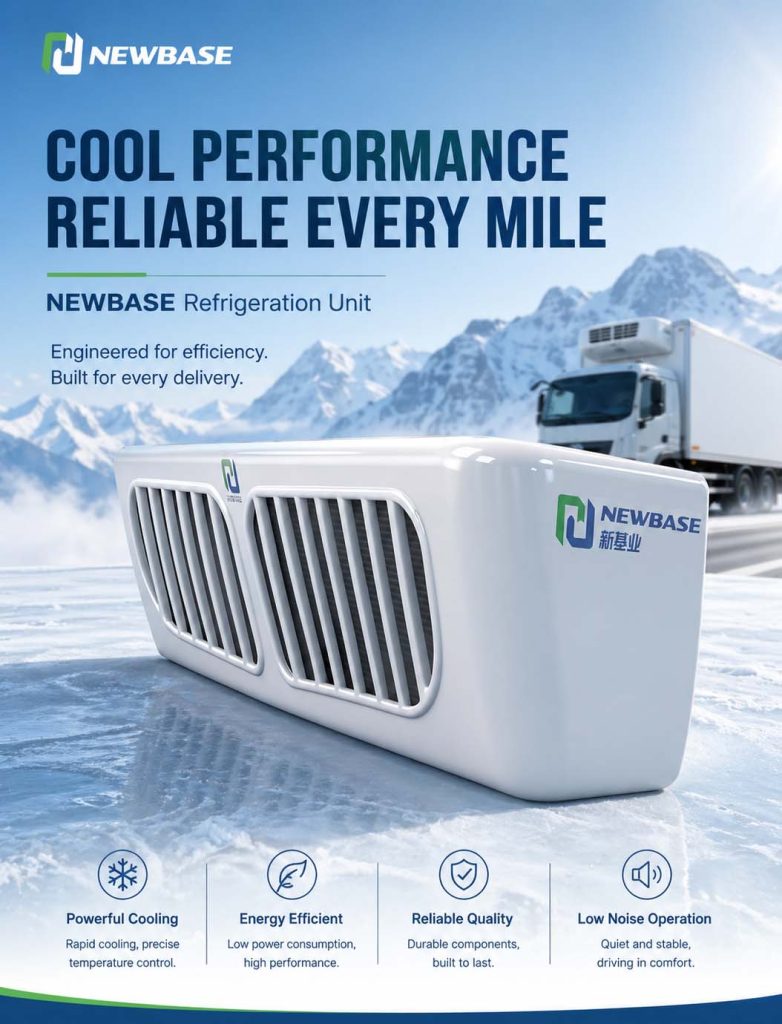
Il NEWBASE NBESR-1000A è un'apparecchiatura sofisticata, ma le sue prestazioni finali dipendono non solo dal suo design, ma anche da come gli operatori lo utilizzano. Anche il sistema di refrigerazione più avanzato non può compensare pratiche di carico scorrette, un pre-raffreddamento inadeguato o impostazioni di temperatura non corrette. Questa guida all'applicazione fornisce indicazioni operative pratiche per ottenere i massimi benefici dall'unità NBESR-1000A, coprendo le procedure di pre-raffreddamento, le migliori pratiche di carico, le raccomandazioni di temperatura per tipo di carico e le routine di manutenzione essenziali.
1. Procedure di pre-raffreddamento
Perché il pre-raffreddamento è importante
Il preraffreddamento è la pratica di raffreddare la cassa di carico alla temperatura desiderata prima di caricare il carico. È la pratica più efficace per mantenere la qualità del carico: Senza pre-raffreddamento:
- Il carico caldo entra nel veicolo caldo → tempo di estrazione prolungato
- Gli articoli sensibili alla temperatura subiscono un'alterazione della temperatura durante il raffreddamento iniziale.
- Il compressore lavora alla massima capacità → aumento del consumo energetico
- Un raffreddamento non uniforme crea gradienti di temperatura nel carico
Con pre-raffreddamento:
- Il box di carico è già alla temperatura desiderata quando inizia il caricamento
- Il carico entra immediatamente nelle condizioni di stoccaggio adeguate
- Esposizione totale più breve a temperature elevate
- Temperatura costante mantenuta in tutto il carico
Procedura di pre-raffreddamento NBESR-1000A
Protocollo di pre-raffreddamento passo per passo:
1. Valutazione iniziale
- Determinare la temperatura target per il tipo di carico - Valutare le condizioni ambientali (temperatura esterna, umidità) - Controllare lo stato di funzionamento dell'unità sul display del controllore
2. Avvio del pre-raffreddamento (2-4 ore prima del caricamento)
- Impostare il regolatore sulla temperatura target - Attivare la modalità di raffreddamento ad alta capacità, se disponibile - Chiudere tutte le porte durante il pre-raffreddamento - Verificare che il flusso d'aria sia libero all'interno della scatola
3. Monitoraggio dell'avanzamento del pre-raffreddamento
- Controllare regolarmente il display della temperatura - La piattaforma IoT NBESR-1000A può inviare avvisi quando viene raggiunto il setpoint - Tempo tipico di preraffreddamento: 2-4 ore a seconda dell'ambiente e delle dimensioni della scatola
4. Confermare il raggiungimento del setpoint
- Verificare che il display della temperatura mostri la temperatura target - Prevedere un periodo di stabilizzazione di 30 minuti dopo il raggiungimento del setpoint - Controllare più sensori se disponibili per un raffreddamento uniforme
5. Preparare il carico
- Ridurre al minimo il tempo di apertura delle porte durante il carico - Disporre tutto il carico all'esterno del veicolo - Organizzare la sequenza di carico per ridurre al minimo i tempi - Caricare prima gli articoli più freddi per ottenere la massima massa termica
Stima del tempo di pre-raffreddamento
| Dimensioni del bagagliaio | Temperatura ambiente 25°C | Temperatura ambiente 35°C | Temperatura ambiente 40°C |
| 44 m³ | 2,2 ore | 2,7 ore | 3,2 ore |
| 46 m³ | 2,4 ore | 3,0 ore | 3,5 ore |
I tempi presuppongono una scatola vuota con isolamento funzionante
2. Procedure di carico corrette
Migliori pratiche di caricamento
Il modo in cui viene caricato il carico influisce in modo significativo sulle prestazioni di refrigerazione: DO:
- Caricare il carico al livello consigliato: Non bloccare le griglie del flusso d'aria
- Utilizzare cinghie a cricchetto: Fissare il carico senza schiacciare l'imballaggio
- Mantenere i canali d'aria: Lasciare spazi di 5-10 cm per la circolazione dell'aria
- Caricare prima gli oggetti più pesanti: Posizionare sul pavimento, verso l'evaporatore
- Utilizzare pallet o scaffalature: Elevare il carico per ottenere un flusso d'aria inferiore
- Controllare la pre-qualificazione del carico: Assicurarsi che il carico sia alla temperatura corretta
NON:
- Bloccare l'uscita dell'evaporatore: Non posizionare mai il carico direttamente davanti all'evaporatore.
- Sovraccarico della scatola: Flusso d'aria ridotto significa raffreddamento ridotto
- Caricare un carico caldo: lasciare il tempo necessario per il pre-raffreddamento del carico prima di caricarlo.
- Lasciare le porte aperte: Ogni minuto di porta aperta aggiunge carico termico
- Miscelare carichi incompatibili: requisiti di temperatura diversi richiedono zone separate
Stratificazione della temperatura durante il caricamento
Anche i veicoli correttamente caricati subiscono aumenti di temperatura durante il carico: Aumento di temperatura previsto durante il carico:
| Durata dell'apertura della porta | Aumento tipico della temperatura | Tempo di recupero |
| 5-15 minuti | 2-4°C | 30-45 minuti |
| > 15 minuti | 4-8°C | 45-90 minuti |
Ridurre al minimo l'impatto della temperatura di carico:
- Lavorare in banchi di carico a temperatura controllata, se disponibili.
- Predisporre tutto il carico prima di aprire le porte del veicolo
- Utilizzare le guarnizioni del bacino per ridurre l'infiltrazione dell'aria ambiente
- Caricare al mattino presto o alla sera, quando l'ambiente è più fresco.
Raccomandazione sulla sequenza di caricamento
Ordine di carico ottimale (per carichi a temperatura singola):
1. Verificare che il pre-raffreddamento sia completo
2. Caricare prima il carico più pesante/più pesante
3. Posizionare il carico più vicino all'evaporatore per ultimo
4. Assicurarsi che nulla blocchi il flusso d'aria
5. Chiusura rapida dello sportello dopo il carico
6. Verificare il ripristino della temperatura al setpoint
3. Raccomandazioni per l'impostazione della temperatura
Guida alla temperatura del tipo di carico
L'intervallo di temperatura dell'NBESR-1000A (da -20°C a +15°C con riscaldamento) copre la maggior parte delle esigenze della catena del freddo: Prodotti congelati
| Prodotto | Temperatura consigliata | Note |
| Frutti di mare (congelati) | Da -20°C a -18°C | I più comuni sistemi di conservazione congelati |
| Carne (congelata) | Da -18°C a -15°C | Può tollerare lievi variazioni |
| Verdure congelate | -18°C | Stoccaggio a lungo termine |
| Alimenti preparati surgelati | -18°C | Conservazione congelata standard |
Prodotti refrigerati
| Prodotto | Temperatura consigliata | Note |
| Pollame | Da 0°C a 2°C | Sensibile agli sbalzi di temperatura |
| Prodotti lattiero-caseari | Da 2°C a 4°C | La maggior parte dei prodotti lattiero-caseari |
| Pesce fresco/cibo di mare | Da -2°C a 0°C | Molto sensibile alla temperatura |
| Prodotti freschi | Da 2°C a 8°C | Varia a seconda del tipo |
| Bevande | Da 4°C a 6°C | Bevande non surgelate |
Prodotti a bassa temperatura
| Prodotto | Temperatura consigliata | Note |
| Banane | Da 13°C a 15°C | Estremamente sensibile al freddo |
| Agrumi | Da 8°C a 12°C | Moderata sensibilità al freddo |
| Pomodori | Da 10°C a 15°C | Maturazione sensibile alla temperatura |
Funzionamento del controllore NBESR-1000A
Impostazione della temperatura:
1. Accesso al pannello di controllo: Individuare il controllore NBESR-1000A in cabina.
2. Accedere alla modalità menu: Seguire la procedura specifica del controller
3. Selezionare l'impostazione della temperatura: Navigare fino alla regolazione del setpoint
4. Impostare la temperatura desiderata: Utilizzare i pulsanti +/- per regolare
5. Confermare l'impostazione: Salvare e uscire dal menu
Utilizzo della funzione di riscaldamento (6-15°C): La funzione di riscaldamento dell'NBESR-1000A viene attivata per applicazioni specifiche:
- Selezionare la modalità di riscaldamento nel menu della centralina
- Impostare la temperatura target entro un intervallo di 6-15°C
- Il sistema si riscalda anziché raffreddarsi quando è al di sopra della temperatura ambiente
Monitoraggio della temperatura
Durante il transito:
- Controllare il display della temperatura a intervalli regolari
- Notare eventuali tendenze o escursioni di temperatura
- Segnalare immediatamente le anomalie
Utilizzo della piattaforma IoT:
- La piattaforma IoT NEWBASE offre un monitoraggio in tempo reale
- Avvisi automatici per le escursioni di temperatura
- Registrazione completa della temperatura per la conformità
4. Pratiche di manutenzione essenziali
Ispezione giornaliera prima del viaggio
I conducenti devono eseguire questi controlli prima di ogni turno: Ispezione visiva:
- [ ] Ispezionare l'esterno dell'unità per verificare la presenza di danni o detriti.
- [ ] Controllare che la bobina del condensatore non sia ostruita (foglie, detriti).
- [ ] Verificare la corretta tenuta delle porte del vano di carico
- [ ] Cercare eventuali perdite di liquido sotto il veicolo
Controllo operativo:
- [ ] Avviare l'unità e verificare il normale funzionamento
- [ ] Controllare il display del controllore per verificare la presenza di codici di errore o di avvertenze.
- [ ] Verificare che la visualizzazione della temperatura corrisponda al setpoint
- [ ] Ascoltate se ci sono rumori o vibrazioni insolite.
- [ ] Conferma l'indicatore di connettività 4G (se in dotazione)
Attività di manutenzione settimanale
Ogni 40-50 ore di funzionamento: Pulizia del condensatore:
1. Assicurarsi che l'unità sia spenta e l'alimentazione scollegata
2. Rimuovere i detriti sciolti dalle alette del condensatore (spazzolare, non lavare a pressione).
3. Utilizzare un detergente per la bobina del condensatore, se disponibile
4. Risciacquare con acqua pulita dalla direzione opposta a quella del flusso d'aria.
5. Lasciare asciugare completamente prima di riavviare
Ispezione del filtro dell'aria:
- Controllare il filtro dell'aria dell'evaporatore, se in dotazione
- Pulire o sostituire se necessario
- I filtri ostruiti riducono il flusso d'aria e l'efficienza
Collegamenti elettrici:
- Controllare la tenuta dei collegamenti di alimentazione
- Controllare il collegamento a terra
- Verificare la presenza di eventuali danni ai fili o sfregamenti
Manutenzione mensile
Ogni 160-200 ore di funzionamento: Controllo del sistema di refrigerazione:
- Monitorare le pressioni laterali alte e basse
- Confronto con le specifiche per le condizioni
- Controllare i segni di perdite di refrigerante
Impianto elettrico:
- Serrare tutti i collegamenti elettrici
- Test degli interruttori di sicurezza
- Verificare il funzionamento del controllore
Componenti meccanici:
- Ispezione della ferramenta di montaggio
- Controllare la tensione della cinghia, se applicabile
- Lubrificare le parti mobili secondo le specifiche
Considerazioni stagionali
Funzionamento estivo (ambiente elevato):
- Pulizia più frequente del condensatore
- Monitoraggio della temperatura di scarico del compressore
- Riduzione del carico termico grazie a un pre-raffreddamento più lungo
- Controllare più frequentemente lo stato della batteria
Operazioni invernali (ambiente freddo):
- Verificare la capacità di avviamento a freddo
- Controllare il funzionamento del riscaldatore per lo sbrinamento
- Utilizzare le funzioni di condizionamento della batteria
- Proteggere dall'accumulo di ghiaccio e neve
5. Suggerimenti operativi per la massima efficienza
Ottimizzazione del consumo energetico
Massimizzare l'autonomia della batteria:
| Pratica | Risparmio energetico | Impatto |
| Caricare alla temperatura corretta | 5-10% | Riduzione del pull-down necessario |
| Ridurre al minimo le aperture delle porte | 5-15% | Riduzione del carico di infiltrazione |
| Utilizzare la modalità ECO quando disponibile | 10-20% | Consumo di energia ridotto |
| Parcheggiare all'ombra | 3-5% | Ambiente più basso per respingere il calore |
Utilizzo dell'alimentazione di backup AC380V:
- Collegare all'alimentazione esterna, se disponibile
- Usare l'elettricità fuori dalle ore di punta per risparmiare sui costi
- Mantenimento della temperatura durante il caricamento senza scaricare la batteria
- Riduce il ciclo totale della batteria per prolungarne la durata
Risoluzione dei problemi comuni
La temperatura non raggiunge il setpoint:
1. Controllare che le porte siano sigillate correttamente
2. Verificare che il carico non blocchi il flusso d'aria
3. Pulire il condensatore se sporco
4. Assicurarsi che il carico sia stato adeguatamente pre-raffreddato
5. Contattare l'assistenza se il problema persiste
L'unità non si avvia:
1. Verificare che la batteria del veicolo abbia una carica sufficiente
2. Controllare tutti i collegamenti elettrici
3. Cercare i codici di errore sul controllore
4. Verificare che il sezionatore principale sia acceso
5. Contattare il servizio di assistenza NEWBASE, se necessario
Rumore o vibrazioni eccessive:
1. Controllare che la ferramenta di montaggio sia ben salda
2. Verificare che non vi siano detriti incastrati nel condensatore
3. Assicurarsi che le pale della ventola siano libere
4. Contattare l'assistenza se il rumore persiste
6. Documentazione e conformità
Record di temperatura
Requisiti per la tenuta dei registri:
| Regolamento | Conservazione dei documenti | Punti dati |
| HACCP | 1-3 anni | Temperatura nei punti chiave |
| PIL DELL'UE | 5 anni | Cronologia completa della temperatura |
| PIL farmaceutico | 5 anni | Un record completo e ininterrotto |
NBESR-1000A Registri automatizzati:
- Registrazione continua della temperatura
- Registrazione eventi porta
- Dati di temperatura registrati con il GPS
- Generazione automatica di report
Documentazione di conformità
L'NBESR-1000A supporta la conformità con:
- FDA FSMA: legge sulla modernizzazione della sicurezza alimentare
- HACCP: Analisi dei pericoli e punti critici di controllo
- PIL DELL'UE: Buone pratiche di distribuzione
- Linee guida dell'OMS: Catena del freddo dell'Organizzazione Mondiale della Sanità
- IATA: Movimentazione di merci deperibili
Conclusione: Le migliori pratiche per ottenere i migliori risultati
L'NBESR-1000A offre prestazioni eccezionali se utilizzato correttamente:
- Pre-raffreddare correttamente: 2-4 ore prima del caricamento garantisce risultati ottimali.
- Caricare correttamente: Una buona circolazione dell'aria è essenziale
- Impostare le temperature appropriate: Corrispondere esattamente ai requisiti del carico
- Manutenzione regolare: Una semplice manutenzione previene i problemi
- Utilizzare il monitoraggio IoT: La gestione guidata dai dati migliora l'affidabilità
Seguendo queste best practice, gli operatori dell'NBESR-1000A possono aspettarsi una protezione ottimale del carico, la massima efficienza e tempi di inattività minimi.
Informazioni su NEWBASE: NEWBASE fornisce una formazione e un'assistenza completa agli utenti di NBESR-1000A, assicurando che ogni operatore abbia le conoscenze necessarie per massimizzare le prestazioni dell'unità. Riferimenti:
1. IFCO - Migliori pratiche per la catena del freddo dei prodotti freschi 2025
2. FDA - Requisiti per la catena del freddo del Food Safety Modernization Act (FSMA)
3. IATA - Regolamenti per la movimentazione di merci deperibili
4. USDA - Linee guida per l'ispezione della catena del freddo
5. Manuale dell'operatore NEWBASE NBESR-1000A
 Italiano
  English
  Español
  Português
  العربية
  Русский
  Français
  Bahasa Indonesia
  日本語
日本語  Română
  Deutsch